An AI-assisted punch list app for contractors and remodelers. Capture jobsite photos, review potential issues, and turn suggested punch items into work you can follow up on—on iPhone and the web.
The details are easier to remember when you capture them.
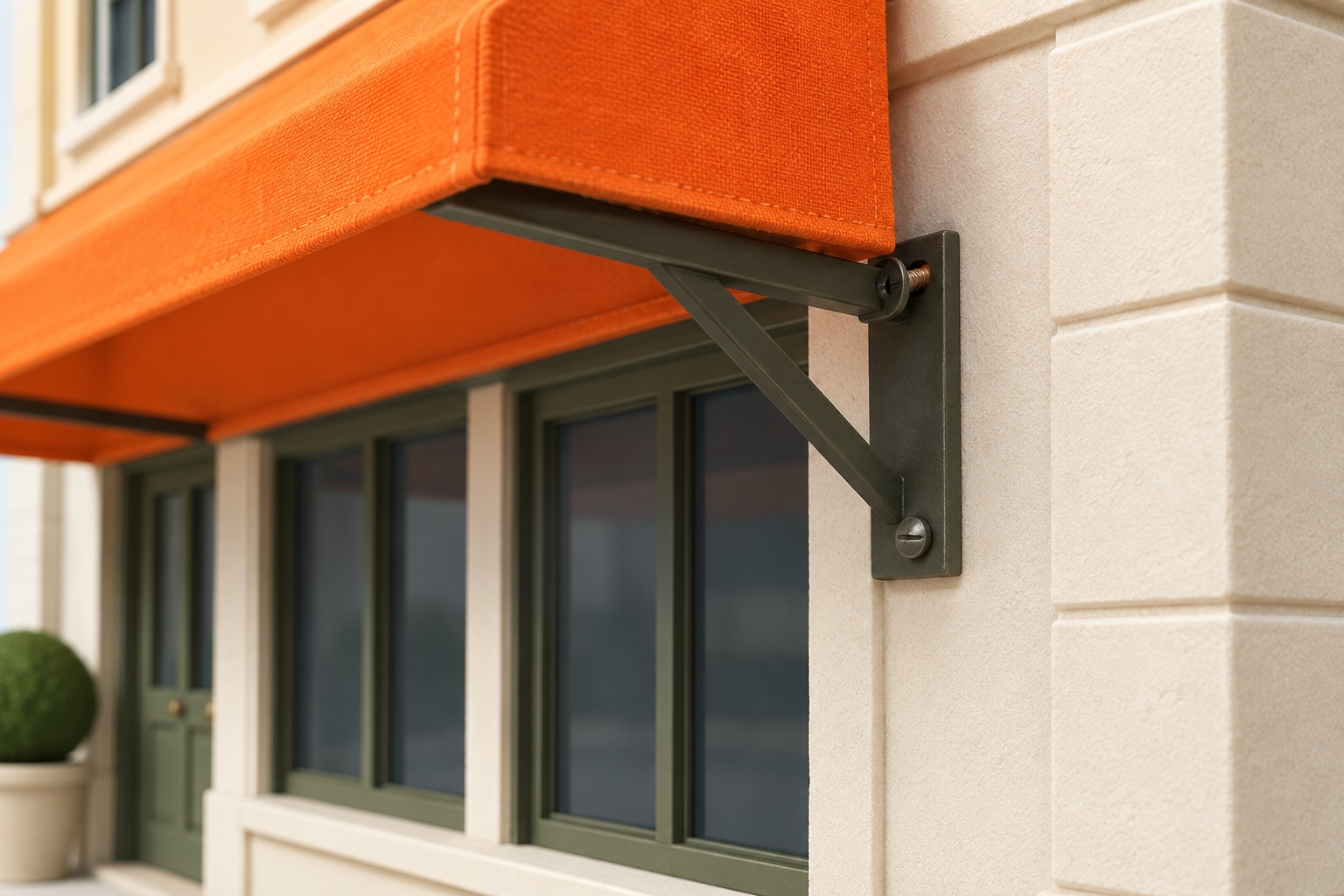
At Cedar Street Shop, the remodel is nearly ready for handover. Photograph an awning bracket that needs a closer look and add a note on iPhone. Open the same closeout inspection on the web to review the remaining work.
01 Capture before handover
02 Keep the details together
03 Ask a useful question
At the property · iOS app
9:41
Inspection Item
Awning wall connection
Cedar Street Shop · Remodel closeout
Attached voice note
“The right awning bracket needs a closer look before handover. Save this detail for the repair team.”
What should we check before securing this bracket?
CM Vision AI
Have the bracket, wall fixing, and mounting surface checked. Confirm the appropriate repair before tightening or replacing anything.
Illustrative iOS and web screens with demo property data. AI helps you prepare better questions; verify property condition with a qualified professional.
AI tools are included with Pro. Illustrative workflow using demo data and representative app views.
02 · Review AI suggestions
Let AI take a first look. You decide what becomes work.
AI flags a possible gap at the awning’s wall connection. Review the photo and suggested finding, then turn it into a Punch List item: inspect the fixing and confirm how it should be secured. You choose the wording and the next step.
01 Capture the detail
02 Review the AI finding
03 Make it actionable
On site · iOS app
9:41
Inspection Item
Awning wall connection
Cedar Street Shop · Storefront
AI photo analysis
Possible loose awning fixing
There appears to be a gap at the wall connection. Have the fixing checked before deciding how to secure it.
AI gives you a starting point. You decide what belongs in the work list.
01
Inspect and secure the awning wall fixing
Check the bracket and wall fixing. Confirm the appropriate repair before securing the connection.
From photo analysis
02
Photograph the completed repair
Keep a clear close-up with the inspection record.
Added during review
Reviewed wording. Clear next steps.
Cedar Street Shop · Punch List.pdf
A practical list to take into the next conversation.
Illustrative iOS and web screens with demo property data. AI findings and punch items are suggestions for you to review and edit.
03 · Share the next steps
Give the next conversation something concrete.
Prepare Cedar Street Shop’s closeout report and export the Punch List as a PDF. The awning photo and reviewed work stay with the shop, ready for the repair team and the handover conversation.
Cedar Street Shop · Remodel Closeout.pdf
CM VisionInspection report
Cedar Street Shop
Remodel Closeout
Portland, Oregon · September 8, 2026
Inspection summary
Two items to revisit: awning wall connection and completed repair photo.
01
Awning wall connection
Inspect the bracket and confirm the repair.
Review
02
Completed repair photo
Document the reviewed work before handover.
Cedar Street Shop · Remodel Closeout.xlsx
B3ƒxAwning wall connection
Sample Inspection Items worksheet.
A
B
C
D
1
Ordered Inspection Items
2
#
Label
Location
Field Notes
3
1
Awning wall connection
Storefront
Check the fixing before securing.
4
2
Completed repair photo
Storefront
Save a close-up after the repair.
5
6
OverviewInspection ItemsAI Findings
Sample PDF and Excel exports · Inspection items, saved findings, and photo references.
A few useful details
Before your first walkthrough.
Does AI automatically decide what needs repairing?
No. AI suggests potential issues and Punch List items. Review the photos, findings, and suggested work, then edit the list using your own judgment.
Can I export the Punch List?
Yes. You can export a Punch List PDF and create inspection reports with your company details and logo. Inspection details can also be exported to Excel.
Can my team work from the same property?
Pro includes property collaboration. Invited teammates can work with the property’s inspections, photos, saved AI results, Punch List, bids, and reports.
What can I use for free?
Free includes your own properties, inspections, reports, exports, and 1 GB of storage. Pro adds AI tools, property collaboration, 25 GB of storage, and 1,000 AI credits per user each month. Compare the plans.
 CM VisionInspection report